mirror of
https://github.com/handsomezhuzhu/handsomezhuzhu.github.io.git
synced 2026-02-20 11:50:14 +00:00

181 lines
4.9 KiB
Markdown
181 lines
4.9 KiB
Markdown
---
|
||
sticky: 999
|
||
description: 1分钟内完成自己的博客创建
|
||
descriptionHTML: '
|
||
<span style="color:var(--description-font-color);">1分钟内完成自己的博客创建</span>
|
||
<pre style="background-color: #292b30; padding: 15px; border-radius: 10px;" class="shiki material-theme-palenight"><code>
|
||
<span class="line"><span style="color:#FFCB6B;">npm</span><span style="color:#A6ACCD;"> </span><span style="color:#C3E88D;">create</span><span style="color:#A6ACCD;"> </span><span style="color:#C3E88D;">@sugarat/theme@latest</span></span>
|
||
<br/>
|
||
<br/>
|
||
<span class="line"><span style="color:#B392F0;">bun create</span><span style="color:#E1E4E8;"> </span><span style="color:#9ECBFF;">@sugarat/theme</span><span style="color:#E1E4E8;"> </span></span>
|
||
</code>
|
||
</pre>'
|
||
tag:
|
||
- SOP
|
||
top: 1
|
||
sidebar: false
|
||
---
|
||
|
||
# 快速上手
|
||
1分钟内完成自己的博客创建
|
||
|
||
:::warning 注意事项
|
||
使用 [pnpm](https://pnpm.io),[yarn](https://www.npmjs.com/package/yarn),[bun](https://bun.sh/) ,需要单独安装
|
||
|
||
**如果喜欢尝鲜,想体验更快的启动和构建速度,推荐使用 bun**(<i style="color:red">windows 用户不建议使用 bun</i>)
|
||
|
||
其它情况推荐使用 pnpm,*不推荐使用 yarn*
|
||
|
||
:::code-group
|
||
|
||
```sh [安装 PNPM]
|
||
npm install -g pnpm
|
||
```
|
||
```sh [安装 bun]
|
||
npm install -g bun
|
||
```
|
||
:::
|
||
|
||
## 快速创建项目
|
||
使用 [@sugarat/create-theme](https://github.com/ATQQ/sugar-blog/tree/master/packages/create-theme) 快速创建模板项目
|
||
|
||
:::code-group
|
||
```sh [npm]
|
||
npm create @sugarat/theme@latest
|
||
```
|
||
```sh [yarn]
|
||
yarn create @sugarat/theme
|
||
```
|
||
```sh [pnpm]
|
||
pnpm create @sugarat/theme
|
||
```
|
||
```sh [bun]
|
||
bun create @sugarat/theme
|
||
```
|
||
:::
|
||
|
||
:::details bun创建的项目不一样之处
|
||
① 会多出一个配置文件 `bunfig.toml`,默认配置了淘宝镜像源
|
||
|
||
② 安装依赖后对应lock文件 `bun.lockb`
|
||
|
||
③ 运行命令需添加一个 `--bun` 参数,不加就是Node运行,体验不到快速(未来官方会做优化)
|
||
:::
|
||
|
||
当然你也可以自定义项目名创建
|
||
:::code-group
|
||
```sh [npm]
|
||
npm create @sugarat/theme@latest my-first-blog
|
||
```
|
||
```sh [yarn]
|
||
yarn create @sugarat/theme my-first-blog
|
||
```
|
||
```sh [pnpm]
|
||
pnpm create @sugarat/theme my-first-blog
|
||
```
|
||
```sh [bun]
|
||
bun create @sugarat/theme my-first-blog
|
||
```
|
||
:::
|
||
|
||
接下来按照 [操作指引](https://app.warp.dev/block/lZAFeRnRFgOcsRSUOU5ApV) 进行操作即可
|
||
|
||
| npm/yarn/pnpm | bun |
|
||
| :---------------------------------------------------------------------: | :---------------------------------------------------------------------: |
|
||
| 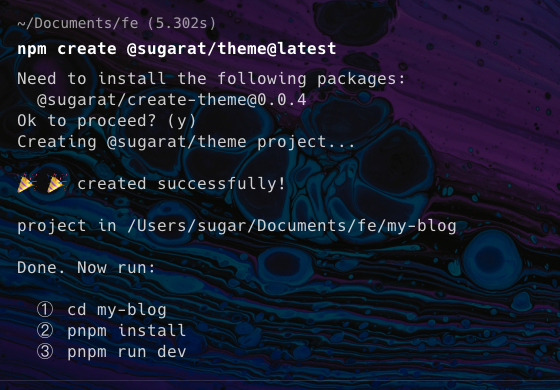 | 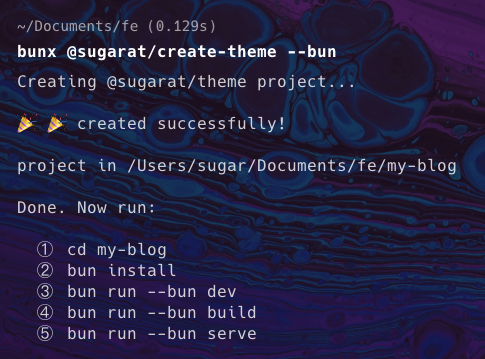 |
|
||
|
||
|
||
① 切换到项目的目录
|
||
```sh
|
||
cd my-blog
|
||
```
|
||
|
||
② 安装依赖
|
||
::: code-group
|
||
|
||
```sh [pnpm]
|
||
pnpm install
|
||
```
|
||
|
||
```sh [bun]
|
||
bun install
|
||
```
|
||
:::
|
||
|
||
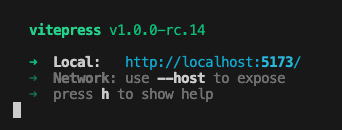
③ 开发启动
|
||
:::code-group
|
||
```sh [pnpm]
|
||
pnpm dev
|
||
```
|
||
```sh [bun]
|
||
bun run --bun dev
|
||
```
|
||
:::
|
||
|
||
|
||
|
||
|
||
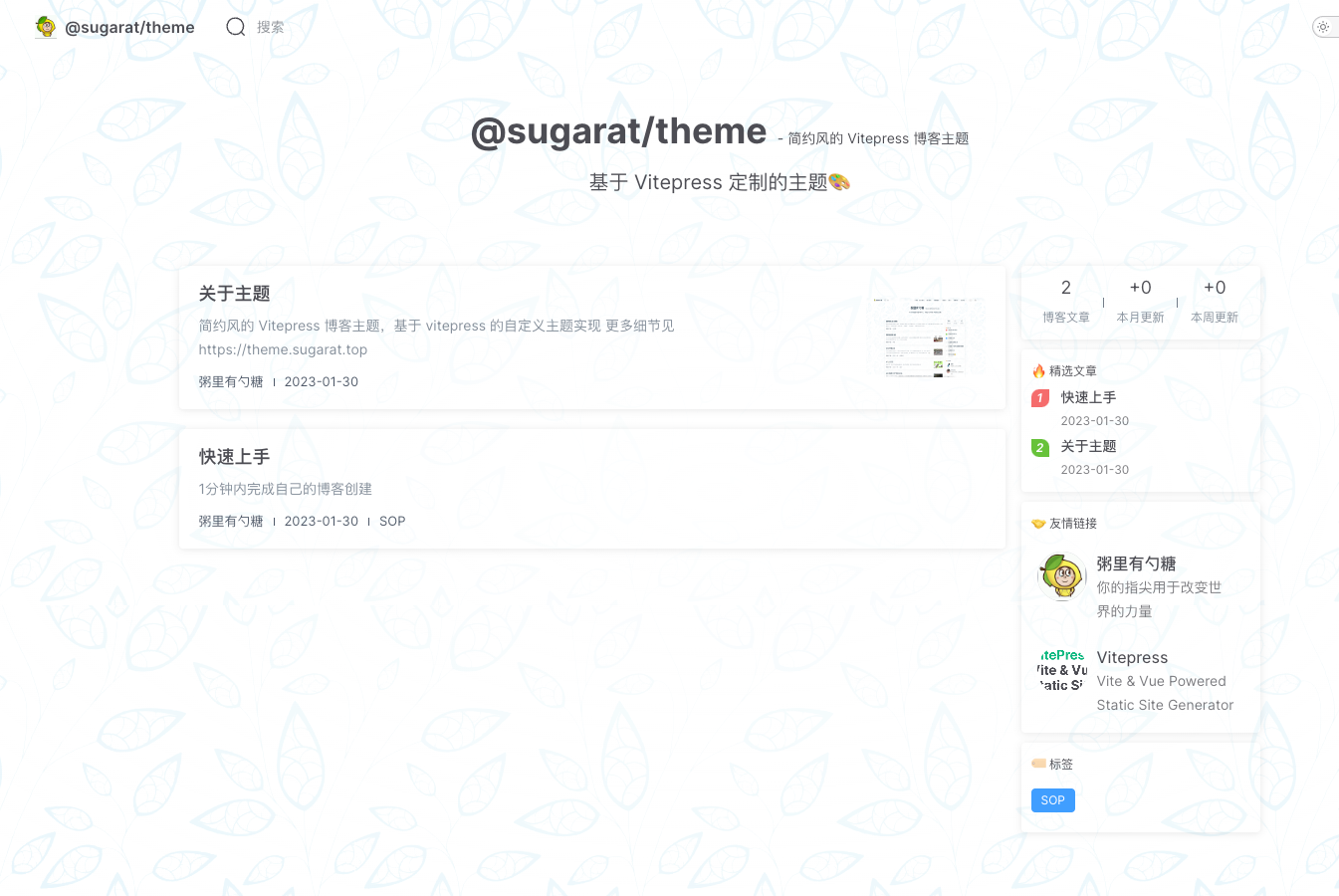
你就会得到一个这样的页面
|
||
|
||
|
||
|
||
④ 构建产物
|
||
:::code-group
|
||
```sh [pnpm]
|
||
pnpm build
|
||
```
|
||
```sh [bun]
|
||
bun run --bun build
|
||
```
|
||
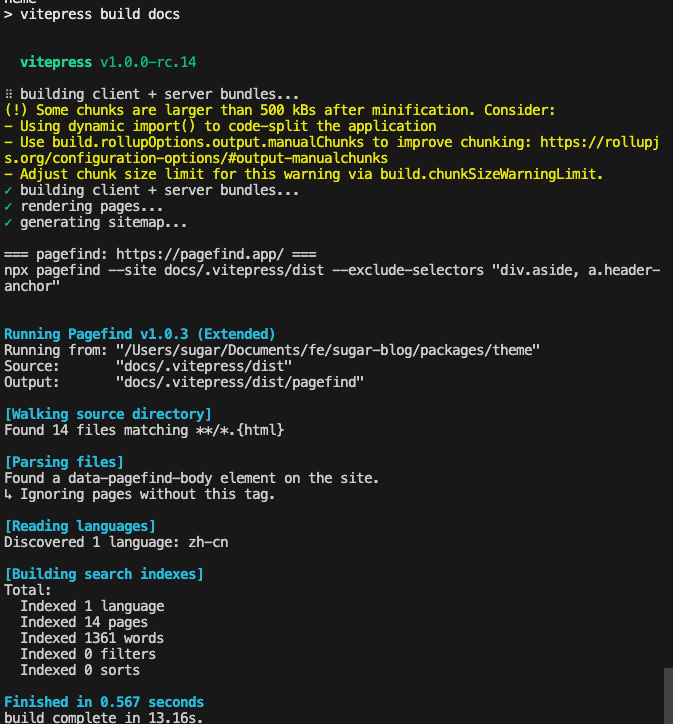
:::
|
||
|
||
|
||
|
||
默认会开启内置的离线全文搜索(基于 `pagefind` 实现)
|
||
|
||
如果不需要可以在 `docs/.vitepress/blog-theme.ts` 中关闭
|
||
* 如果`npx pagefind` 时间过长,可以手动将其安装为项目依赖 `pnpm add pagefind`
|
||
```ts
|
||
const blogTheme = getThemeConfig({
|
||
// 默认开启pagefind离线的全文搜索支持(如使用其它的可以设置为false)
|
||
// 如果npx pagefind 时间过长,可以手动将其安装为项目依赖 pnpm add pagefind
|
||
search: false,
|
||
})
|
||
```
|
||
|
||
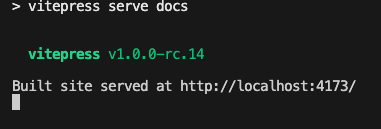
⑤ 预览构建产物
|
||
|
||
:::code-group
|
||
```sh [pnpm]
|
||
pnpm serve
|
||
```
|
||
```sh [bun]
|
||
bun run --bun serve
|
||
```
|
||
:::
|
||
|
||
|
||
|
||
## 升级
|
||
|
||
如果主题更新了,升级主题,原项目只需执行如下指令即可
|
||
:::code-group
|
||
```sh [pnpm]
|
||
pnpm add @sugarat/theme@latest
|
||
|
||
# 更新 vitepress 版本(通常安装最新的即可,主题包每次更新不出意外都会使用最新的VitePress)
|
||
pnpm add vitepress@latest
|
||
```
|
||
```sh [bun]
|
||
bun update @sugarat/theme
|
||
|
||
# 更新 vitepress 版本(通常安装最新的即可,主题包每次更新不出意外都会使用最新的VitePress)
|
||
bun install vitepress@latest
|
||
```
|
||
:::
|
||
|
||
## 更多
|
||
* [主题配置:首页&文章](https://theme.sugarat.top/config/frontmatter.html) - 主题提供的一些 `frontmatter`
|
||
* [主题配置:全局](https://theme.sugarat.top/config/global.html) - 主题提供的额外能力
|
||
* [主题配置:样式](https://theme.sugarat.top/config/style.html) - 自定义博客样式介绍
|
||
* [主题配置:组件能力](https://theme.sugarat.top/config/component.html) - 自定义博客样式介绍 |